Mhmm~ Thank you for commenting everyone ^.^v
Docs-san is right Zagato-san... I am using layers. I put together a tutorial... It's not very good though.
To Create a Blend! 1) First thing, find the pictures you want to blend with. For my example, I chose Fujiki Naohito. ( <3 ) So, once you have the pictures, arrange them on your canvas (?). Erase the backgrounds for the pics. It should then look something like
this: HERE2) After everything is arranged the way you want it, find a texture you like and paste it as a new layer. Good texture websites:
veredgf.fredfarm.com/textura/index.html
www.1greeneye.net/textures/
colour-dreams.net/design/textures/
www.thebloomingeffect.tk/
magicbox.ti-fi.com/textures_main.html
www.ofthesky.net/tre-xture.html
My example: HERE3) Once you have done that, change the texture from normal to something else ( like hard light) Your pic should then appear something like
this : HERE ** the look will vary depending on what layer you chose.
4) Once you have added as many layers as you want ( I added some more to mine~ ) Then go to the brushes and choose ones you like and put them on the blend.
Mine: HERE ** A good place to get brushes is
veredgf.fredfarm.com/vbrush/main.html5) Once you have added all the brushes you want, you can crop all unnecessary extra space.
My example: HERE6) I added the text (his name) and then merged all the layers together, added a border... then added one extra final texture and some more brushes.
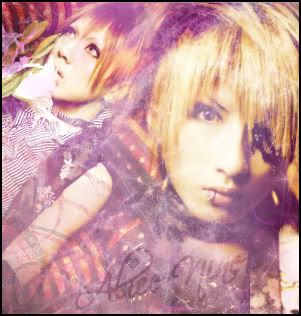
Mine : HEREAnd so.. the final product should look something like this:
Finished BlendAno.. I know that was a horrible tutorial.. but I can't think of how to explain it any better ^^;;
Edited by: yuzuki chan17 at: 7/18/05 5:58 pm


 You sure are Sooooo talented on this (and, of course, this is the gorgeous Eriko Sato, the actress of the japanese movie "Cutey Honey") and also you did it in one day! I would like to be like you when I grow up (tee hee)